Alerts
Alerts remind you before your last day, before a trip that would go over, and before a permit or visa expires. They’re free and are scheduled on your iPhone.
Turn them on
- Go to Settings › Alerts and switch Alerts on. Off means no alerts at all, for every tracker.
- Allow notifications when iPhone asks.
- Choose what to hear about and how early.
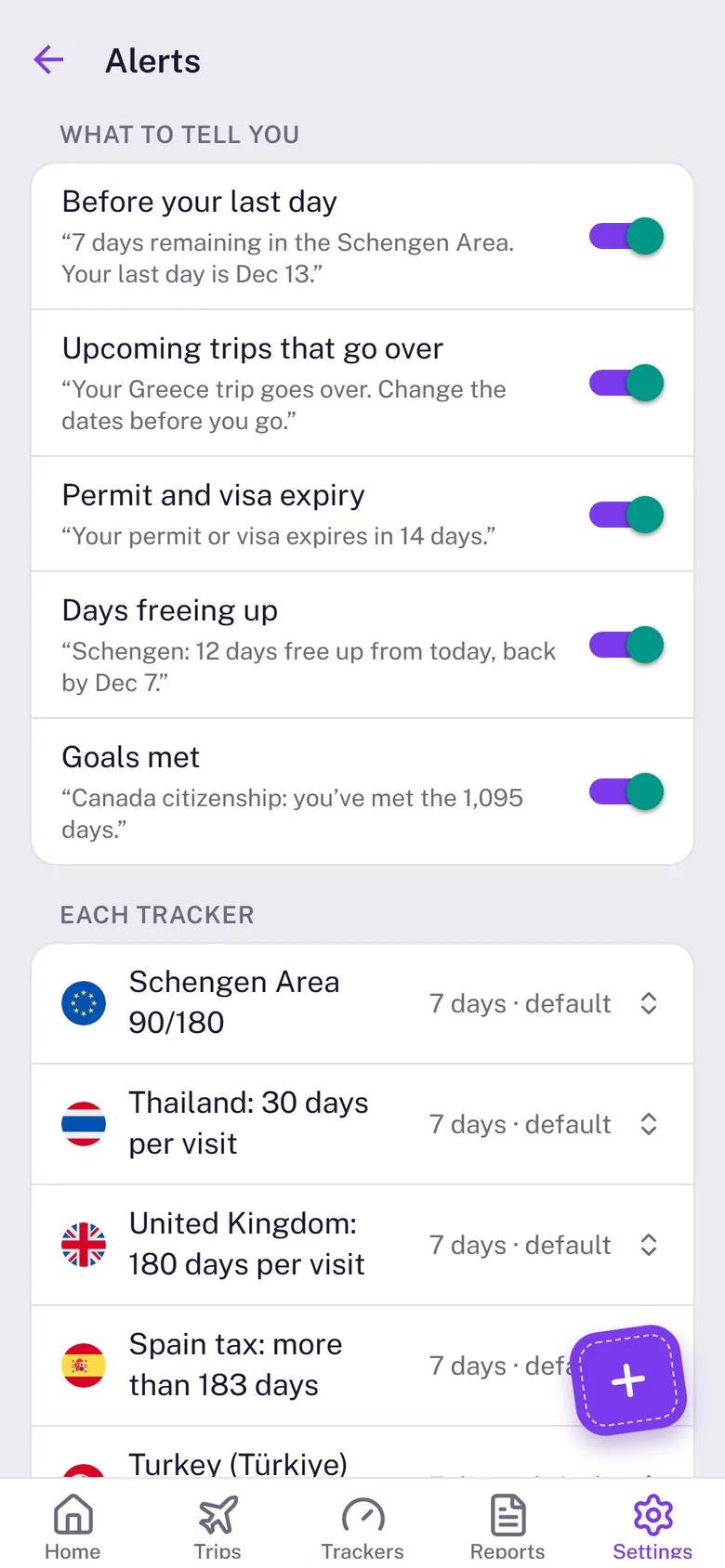
What Stamp90 can tell you
- Before your last day on a stay with a limit, and on the day itself.
- Upcoming trips that go over, before you leave, so you can change the dates.
- Permit and visa expiry, when a tracker has an expiration date.
- Days freeing up on a rolling limit while you’re away.
- Goals met, such as the days needed for citizenship.
How early
The days at the top of Settings › Alerts are the default heads-up: every tracker uses it unless you give that tracker its own. To set one tracker differently, tap it under Each tracker, or tap the bell on its page: 1, 3, 7, 14 or 30 days, or off for that tracker. Use the default puts it back.
The Final reminder is a second alert shortly before the day, for every tracker, when it’s sooner than the heads-up.
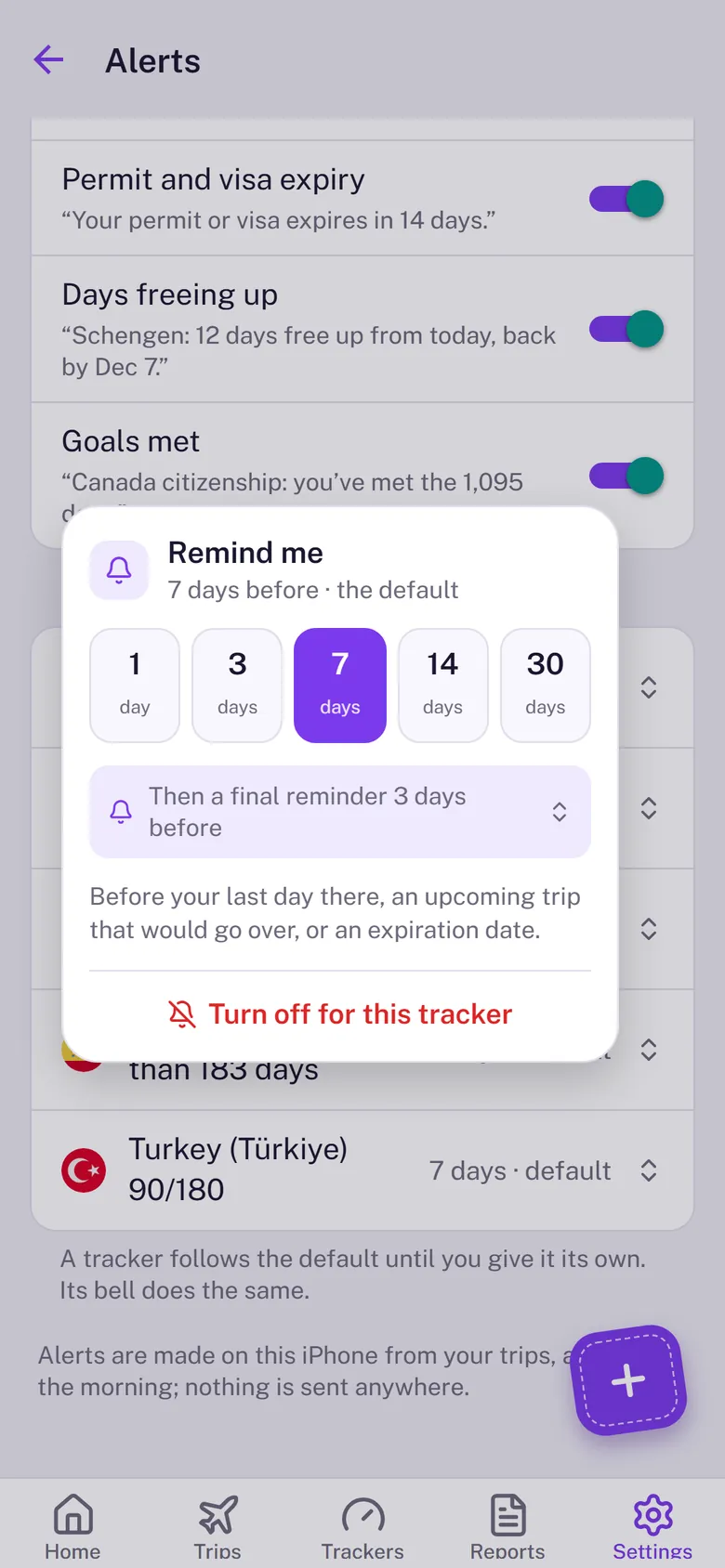
Alerts arrive at 9:00 in the morning, even when Stamp90 is closed. Nothing is sent to a server.
Not getting alerts? Check iPhone Settings › Notifications › Stamp90.