Home country and nomad mode
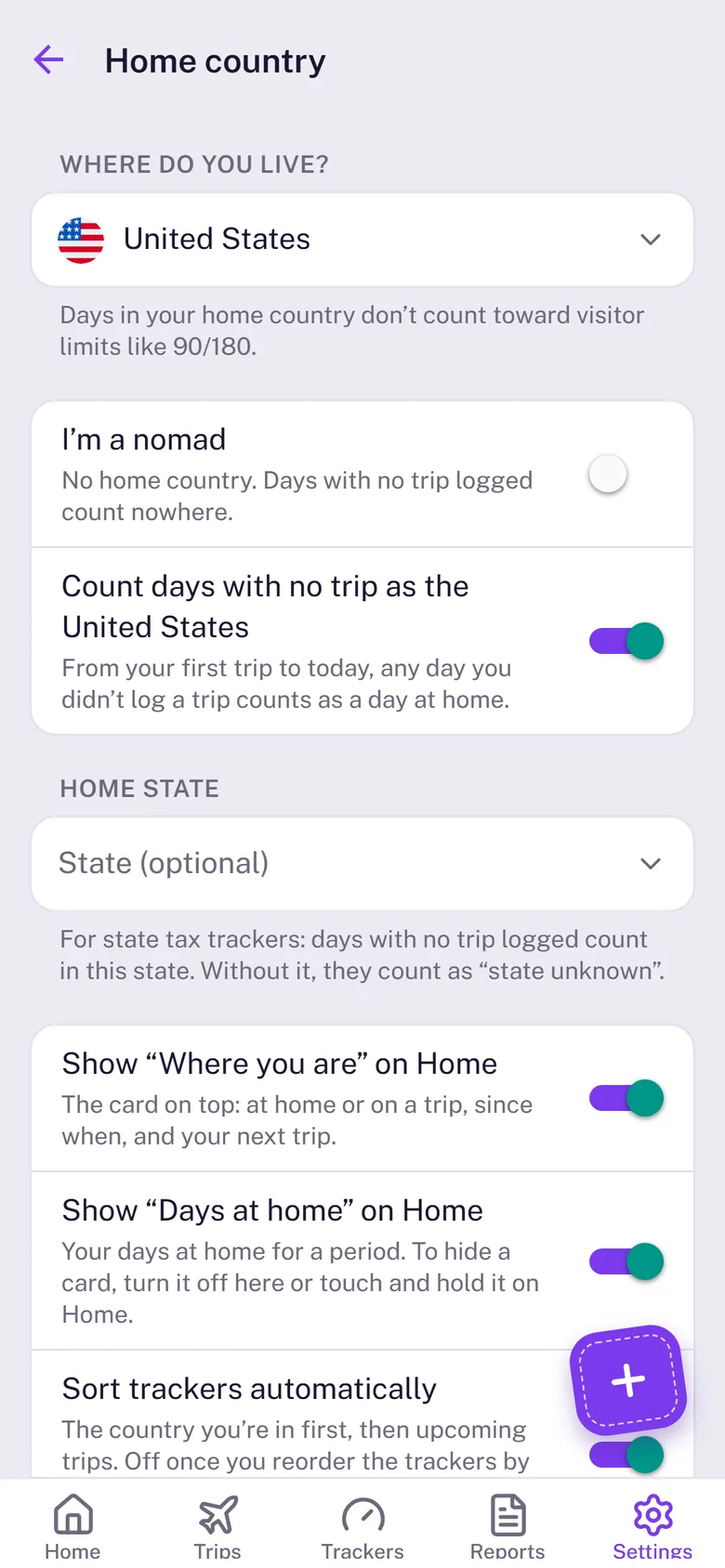
Your home country decides what Stamp90 does with days you haven’t logged. Set it in Settings › Home country.
With a home country
- Days with no trip logged count as home, from your first trip to today, so you only log trips away. Turn off Count days with no trip as your home country if you’d rather they count nowhere.
- Days at home never use up a visitor limit. If you live in Spain, your Spanish days don’t count toward the Schengen 90.
- Home days still count for tax and for residency trackers about time away.
Home state
Living in the US? Pick your Home state too, so the days filled in at home count for state tax trackers. Without it, they show as “state unknown”.
Nomad mode
No home right now? Choose I’m a nomad. Days with no trip logged then count nowhere, so log every country you stay in. Trackers about time away from home, such as UK settlement, need a home or a start date to count.
I’ve logged every trip since
If your trip list is complete from a certain date, set it under I’ve logged every trip since. The Home card can then count your days at home from that date.
The cards on top of Home
Where you are shows whether you’re at home or on a trip, since when, and your next trip. Days at home shows your days at home for a period. Touch and hold either one to hide it, or switch them back on in Settings › Home country.