Residency and citizenship
Residency and citizenship trackers count your time away from a country, or the days you have spent in it, over the period the rule looks at.
Add one
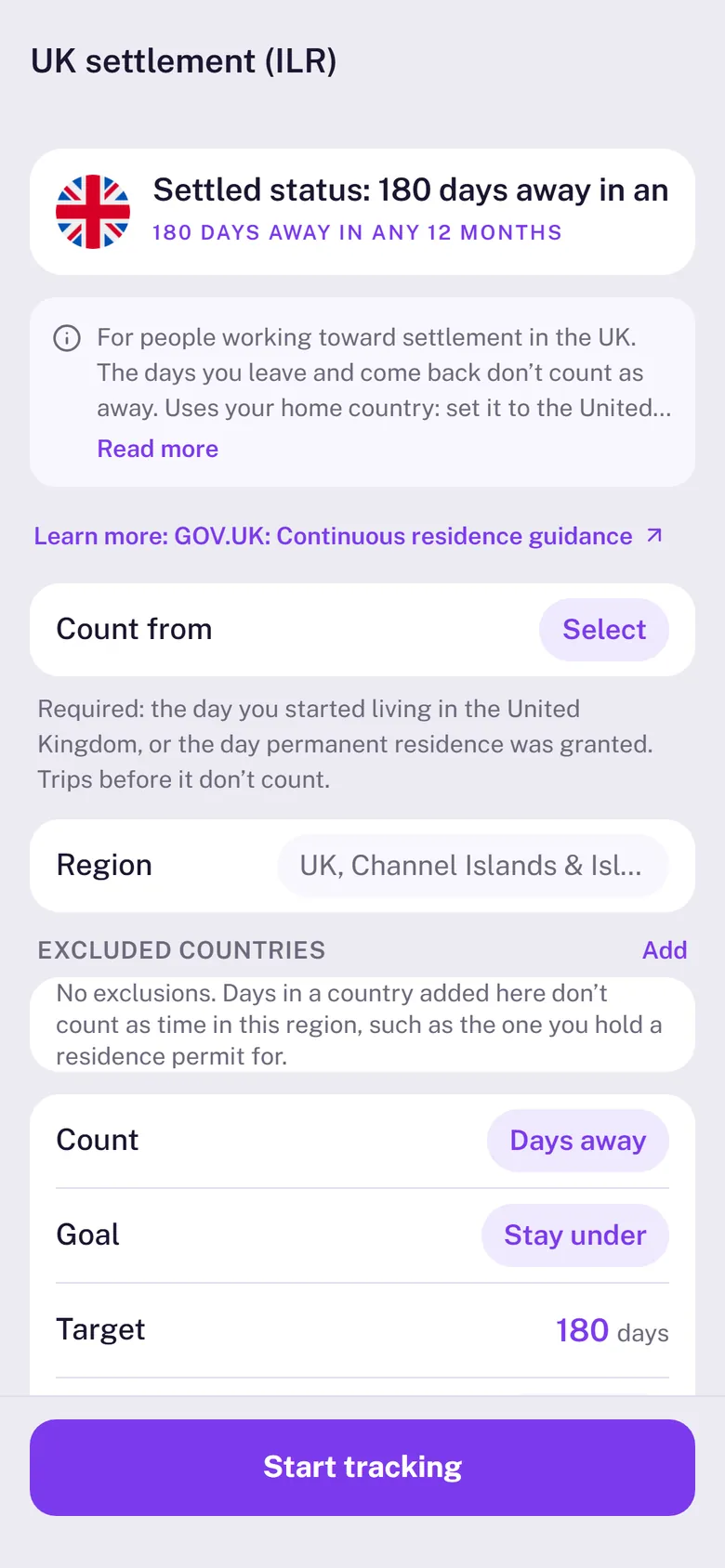
- Open Trackers, tap Residency and pick the rule, such as UK settlement or Canada citizenship.
- Set Count from: the day you started living there or your permit began. Rules about a qualifying period need it; Stamp90 asks before it starts tracking.
- Tap Start tracking.
Why a start date matters
Days away only mean something from a country you live in. Without your home country set to that country, or a start date, the card shows – and asks for the date instead of guessing. That keeps a holiday from looking like a long absence.
How days away are counted
- A day is away when your trips put you somewhere else and nothing puts you in the country.
- The day you leave and the day you come back are usually days in both places, so they don’t count as away. Some rules, like the UK’s, only count whole days away.
- Days at sea or in transit count as away.
- Days with no trip logged aren’t counted as away. With a home country set, they count as home.
Reading the card
- Days remaining is how much more time away the rule allows in its window, such as 180 days in any 12 months.
- For a no absence over N days rule, the card follows the absence you’re on and shows the date you need to be back by.
- For goals, such as 1,095 days in Canada, it shows the days counted and how many more are needed.
Tracker settings also let you choose the Region (the UK rules include the Channel Islands and the Isle of Man) and Excluded countries.