Tax trackers and their questions
A day count alone rarely decides tax residency, so tax trackers ask one or two questions about your situation and show what your days mean with your answers.
Add a tax tracker
- Open Trackers, tap the Tax tab and choose Countries or US states.
- Pick the country or state and tap Start tracking.
- Answer each question with Yes, No or Not sure. Every question needs an answer before the tracker is saved, and Not sure is a fine answer.
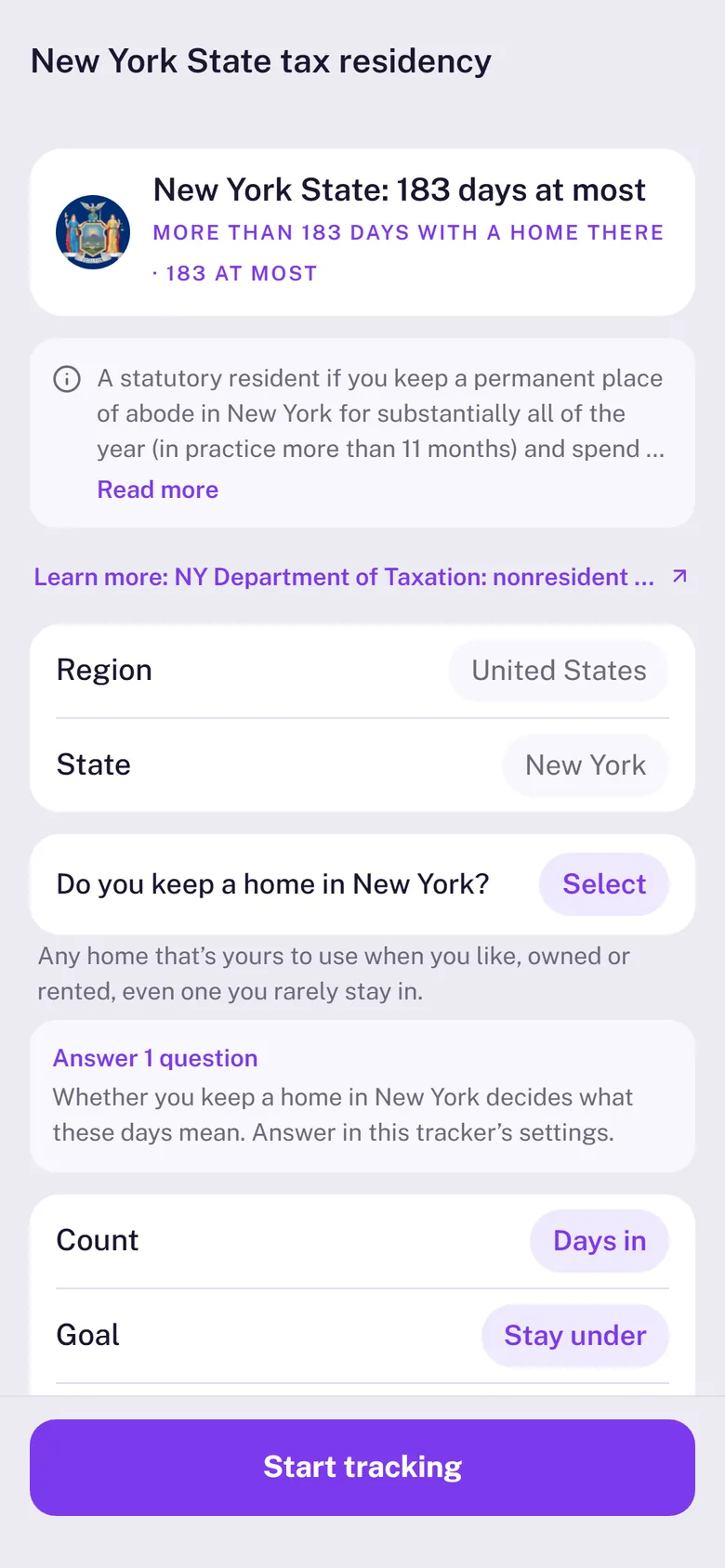
What your answers do
- Yes or Not sure: the tracker keeps warning you as you get close to the line. With Not sure, the words are softer, such as “Could be resident”.
- No: the days alone don’t make you resident there, so the card shows them as Days only: a record, with no warnings.
Change your answers any time on the tracker’s page with Edit tracker.
Reading a tax card
A 183-day rule makes you resident on day 183, so the card counts to 182 at most. While you’re there it shows Leave by and your last safe day; otherwise, the days remaining this year. Each tax tracker uses its country’s own tax year (the UK from April 6, Australia from July 1). Rules over “any 12 months” look at every 12-month stretch, not just the calendar year.
US states
State trackers count the days your trips show you in that state. Trips from photos and location recording record the state for you; for a trip you add yourself, pick the state in the trip sheet. US days with no state are shown on the card as state unknown and aren’t counted, so add the state to be sure.
Stamp90 counts days and explains the rule, with the official source on each tracker’s page. It doesn’t give tax advice: for a decision, talk to a tax adviser.