The Me tab, one by one
Everything in the Me tab, top to bottom, in a line each.
At the top
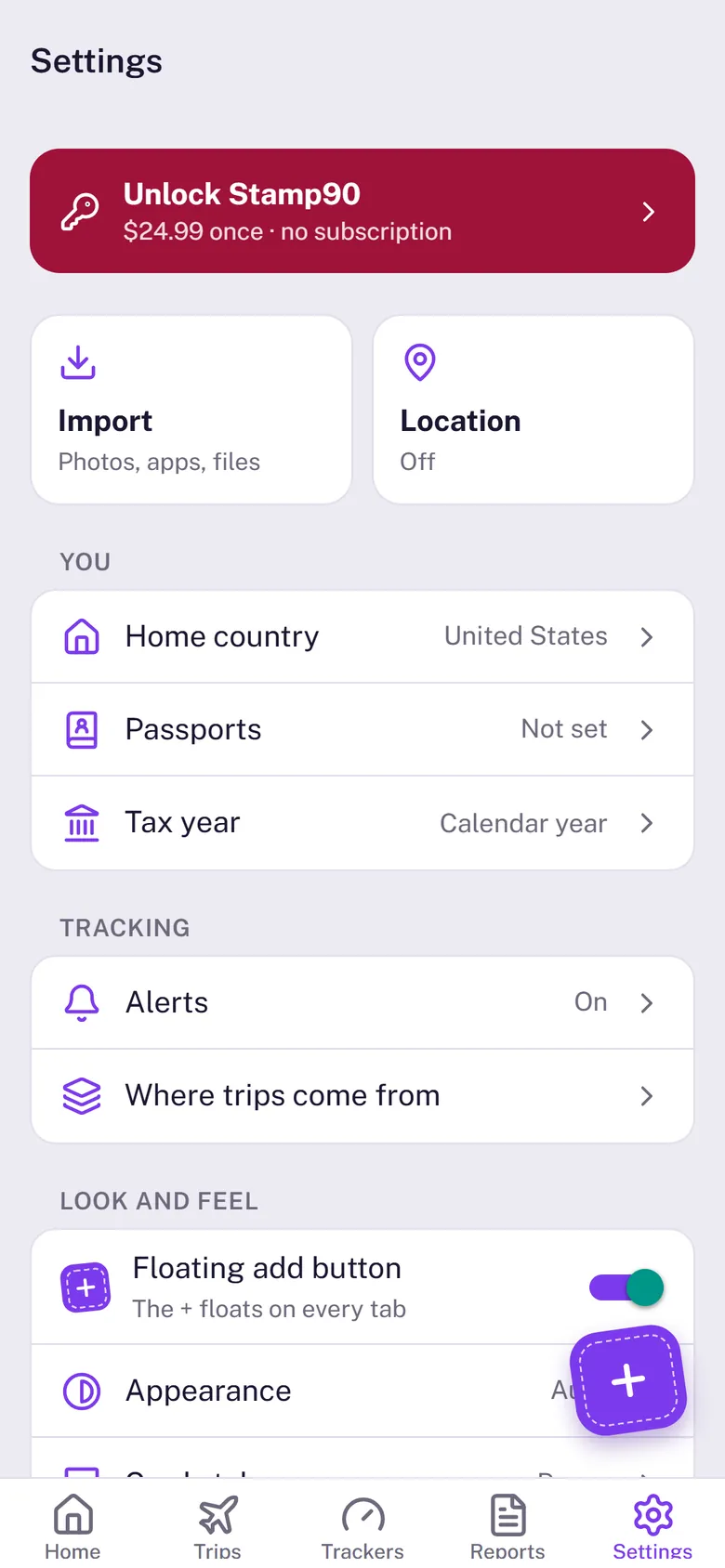
- Your card: your home country, passports, and how many trackers and trips you have. Before you unlock it also shows where you are with the free trial (Free · try 3 days, Free trial · 2 days remaining or Unlock); tap that to unlock.
- My reports: a report for a visa, residency or tax file. See Reports and exports.
- Import: scan your photos or import a file. See Import from your photos.
- Location: log the country you’re in automatically. See Log trips automatically.
You
- Home country: where you live, or nomad. Days with no trip logged count as home; the cards on top of Home can be switched on or off here. See Home country and nomad mode.
- Passports: the passports you travel on, so Stamp90 suggests the right visitor limits. An EU, EEA or Swiss passport means no 90-day Schengen limit.
Tracking
- Alerts: turn alerts on, choose what to hear about and how early. See Alerts.
- Where trips come from: what your photos, automatic trip logging, imported files and your own entries found. Switch a source off to leave its trips out of every count; trips you add or change yourself always count.
Look and feel
- Home Screen widgets: how to add the Stamp90 widgets, step by step. See Home Screen widgets.
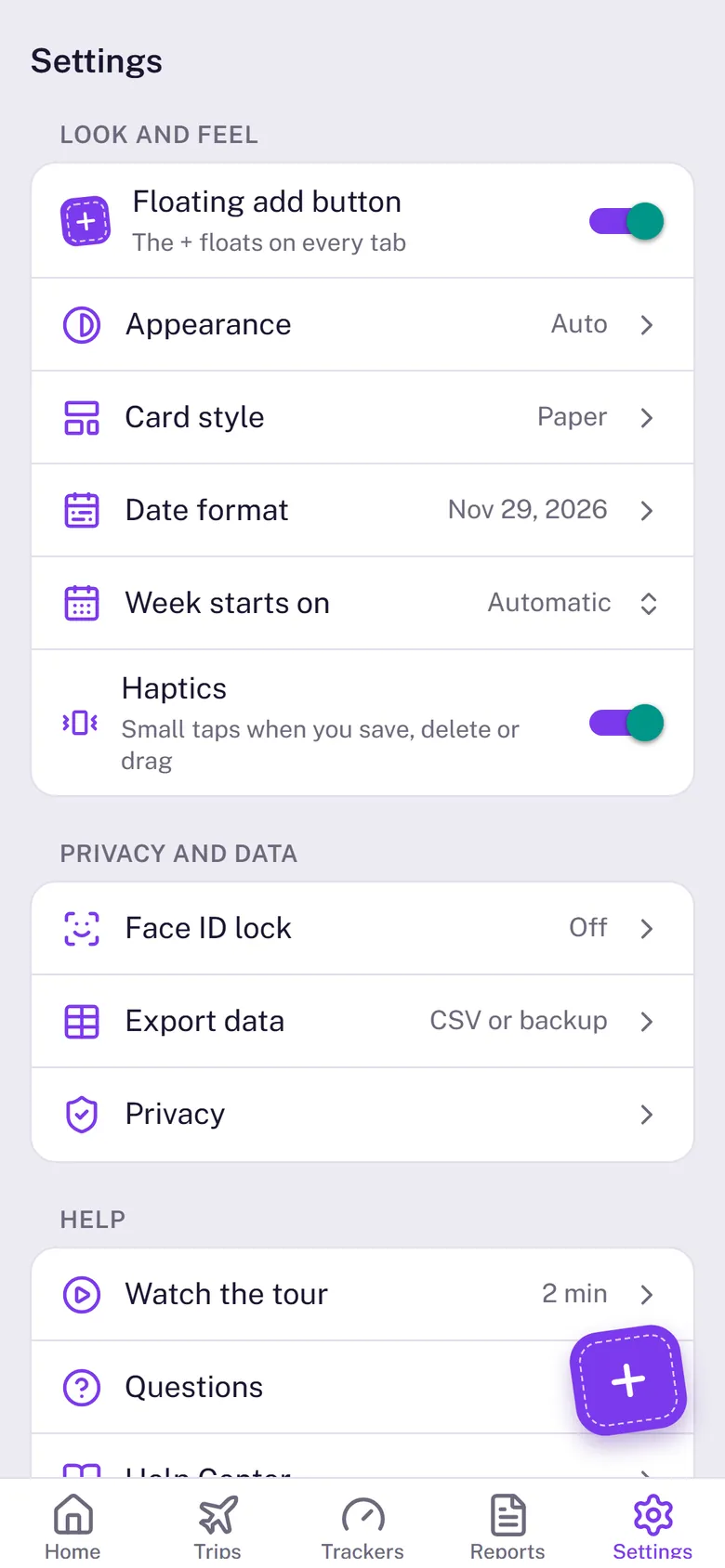
- Floating add button: on, the + floats on Home and Trips; off, the + sits at the top right of Home and Trips.
- Appearance: Auto (follows your iPhone), Light or Dark.
- Card style: how tracker cards look: Paper, Ink, Split, Journey or Simple, with a live preview of each.
- Date format: Nov 29, 2026, 29 Nov 2026 or 2026-11-29.
- Week starts on: Sunday, Monday, or Automatic (follows your date format), for the calendars.
- Haptics: small taps when you save, delete or drag.
Privacy and data
- Face ID lock: off, the whole app, or only reports and the location log, and how soon it locks again.
- Export data: your trips or each day as a CSV, the location log, or a full backup. With the unlock. See Backup and a new iPhone.
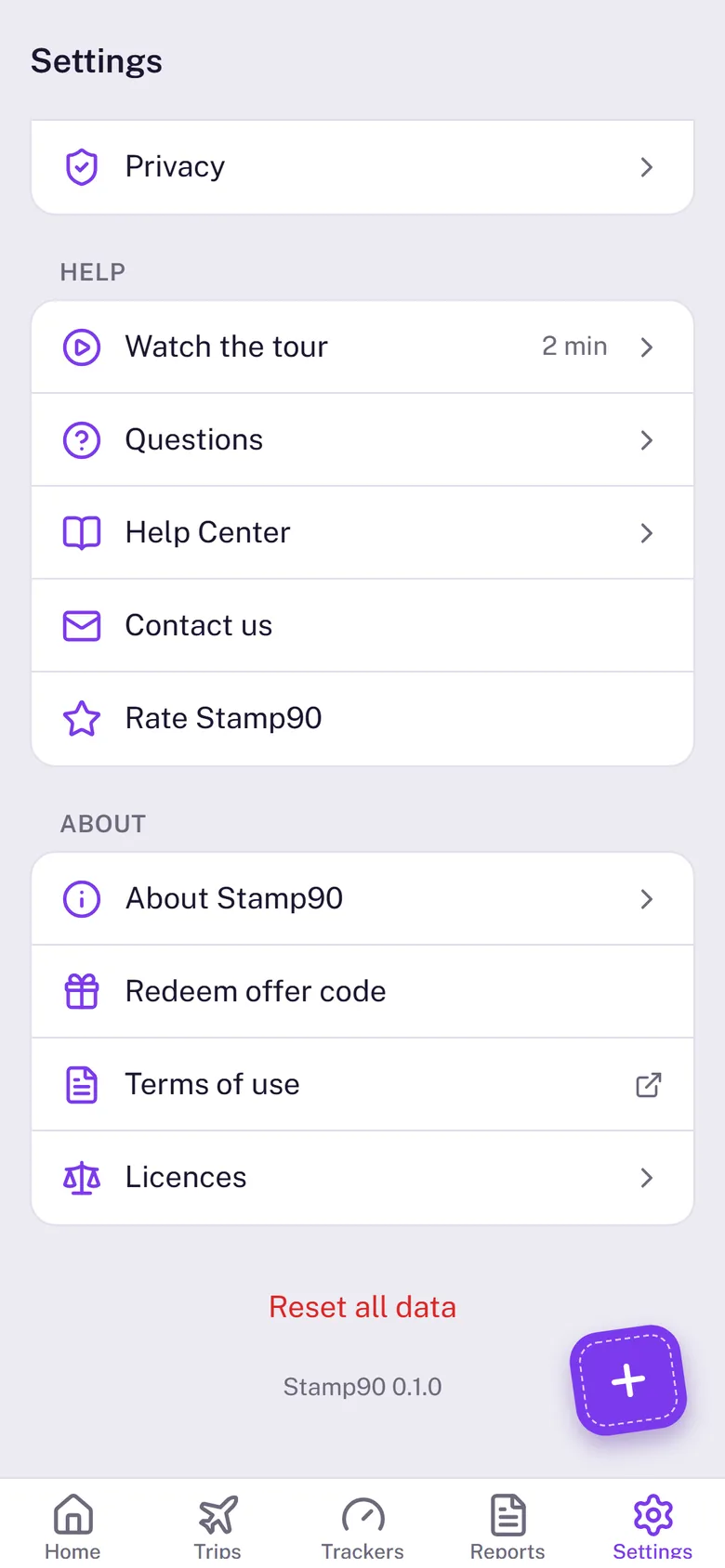
- Privacy: the app’s privacy policy. See Privacy.
Help
- Watch the tour: a two-minute video of the app (needs an internet connection).
- Questions: quick answers to what people ask most.
- Help Center: these articles.
- Contact us: an email to hello@stamp90.com. A real person answers.
- Rate Stamp90: leave a rating in the App Store.
About
- Unlock Stamp90 (Purchase · Unlocked once bought): the one-time purchase, and Restore purchase.
- About Stamp90: what the app is, its version and build, and whether the precise borders are in use.
- Redeem offer code: Apple’s sheet for a promotional code.
- Terms of use: the terms, in the app.
- Licences: credits for the maps, fonts and data the app uses.
Reset all data
Deletes your trips, trackers and settings from this iPhone, after two confirmations. It can’t be undone. With the unlock, save a backup file first (Export data › Full backup). Your purchase and free trial are kept.